
BTSandMRT - App Store
You'll be able to see results in few seconds.
Publisher Description
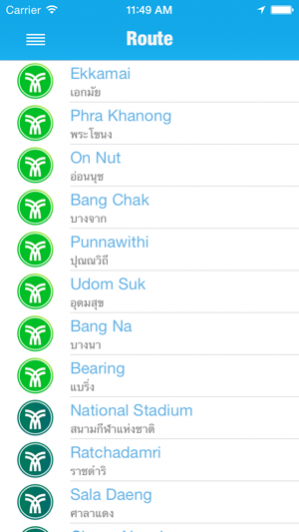
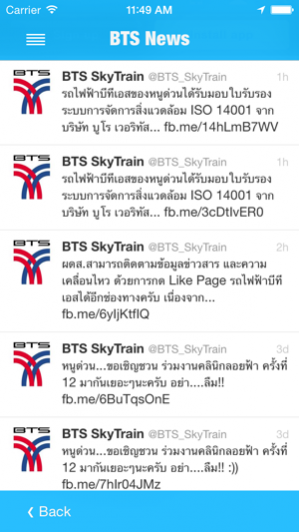
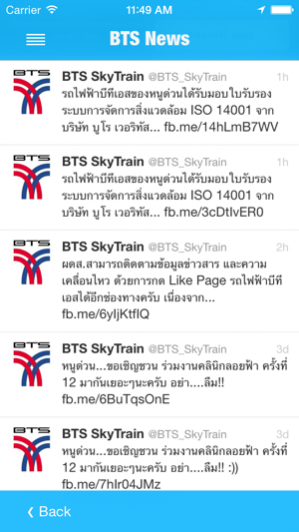
คุณเคยประสบปัญหาการเดินทางโดยใช้รถไฟฟ้าไหม. จะขึ้นลงสถานีไหน? อัตราค่าโดยสารเป็นเท่าไหร่? จะวางแผนการเดินทางอย่างไร? ปัญหาการใช้บริการรถไฟฟ้าเหล่านี้จะหมดไป เมื่อคุณใช้แอพฯ BTS & MRT Information Service Application ที่นำเอาข้อมูลรถไฟฟ้า BTS และ MRT รวมเข้าไว้ด้วยกัน ซึ่งจะช่วยวางแผนการเดินทาง คำนวณอัตราค่าโดยสาร แสดงเวลาการเดินทาง ได้พร้อมกันทั้งสองระบบ และให้คำแนะนำในการใช้ บริการ รวมถึงข้อมูลข่าวสารต่างๆ ที่จำเป็นอีกมากมาย
คุณลักษณะ :
- ให้ข้อมูลแผนที่การเดินทางของรถไฟฟ้า
- คำนวณอัตราค่าโดยสารรถไฟฟ้า BTS และ MRT รวมกันทั้งสองระบบ
- ให้คำแนะนำในการใช้บริการรถไฟฟ้า
- ค้นหาสถานที่ใกล้เคียง
- แสดงตำแหน่งของผู้ใช้งาน
- รองรับภาษาไทย และ ภาษาอังกฤษ
Do you ever have a problem when you travel using the BTS skytrain or MRT? For example, you don't know which station is a right destination. How much money do you have to spend for a ticket? All these problems will be gone if you use BTS & MRT Information Service Application. The application provides all information about BTS and MRT. Moreover, It helps you to plan your trip, calculate exact fares, and display a route time. It also gives you more nearby places information around every train station. This is 2-in-1 application that includes all details of both BTS and MRT; and it is easy to use.
Attribute:
- Give you a map information of both BTS and MRT.
- Calculate fares both BTS and MRT.
- Recommend the best route
- Find the closest station based on your current location.
- Support Thai and English language.
About BTSandMRT
The company that develops BTSandMRT is Soontorn Auksorncherdchoo. The latest version released by its developer is 1.0 .
To install BTSandMRT on your iOS device, just click the green Continue To App button above to start the installation process. The app is listed on our website since 2020-05-14 and was downloaded 0 times. We have already checked if the download link is safe, however for your own protection we recommend that you scan the downloaded app with your antivirus. Your antivirus may detect the BTSandMRT as malware if the download link is broken.
How to install BTSandMRT on your iOS device:
- Click on the Continue To App button on our website. This will redirect you to the App Store.
- Once the BTSandMRT is shown in the iTunes listing of your iOS device, you can start its download and installation. Tap on the GET button to the right of the app to start downloading it.
- If you are not logged-in the iOS appstore app, you'll be prompted for your your Apple ID and/or password.
- After BTSandMRT is downloaded, you'll see an INSTALL button to the right. Tap on it to start the actual installation of the iOS app.
- Once installation is finished you can tap on the OPEN button to start it. Its icon will also be added to your device home screen.
Program Details
System requirements
Download information
Pricing
Version History
version -
posted on 2020-05-14
Disclaimer
Official App Store Link
We do not host BTSandMRT on our servers. We did not scan it for viruses, adware, spyware or other type of malware. This app is hosted by Apple and passed their terms and conditions to be listed there. We recommend caution when installing it.
The App Store link for BTSandMRT is provided to you by apps112.com without any warranties, representations or guarantees of any kind, so access it at your own risk.
If you have questions regarding this particular app contact the publisher directly. For questions about the functionalities of apps112.com contact us.
